Documentation
Looking for documentation for older versions? Check out the legacy documentation.
You were sent here from avada.com, but that article has no Avada Classic version. This is the Avada Classic help center instead. Looking for: /documentation/twitter-timeline-element
Avada Classic is Avada as you bought it on ThemeForest. From now on this is where it lives: the full documentation, the prebuilt websites and Avada Studio are all here, and you have full access to them exactly as before.
avada.com is being reworked over the next few weeks to become the home of Avada One. While that work is under way, its documentation and help center links are sent here, so the articles you follow always lead to a finished answer.
Avada One is the next version of Avada, and its beta is under way now. The announcement covers what it brings, what is changing on avada.com, and how to take part.
The Avada help center is a central repository for professional documentation, video tutorials, and hands-on support for beginners, marketers, and professionals.
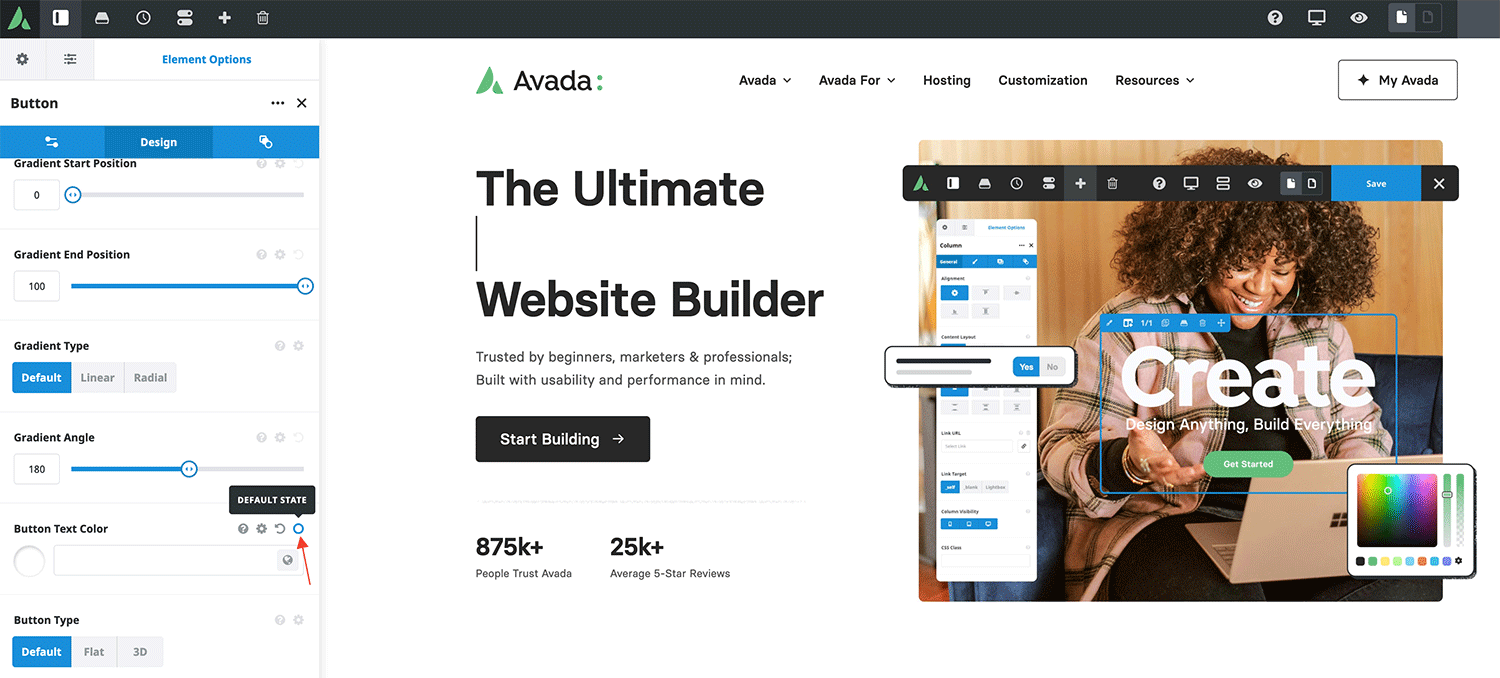
You can toggle between Default and Hover states to access options for each state in relevant Avada Design Elements. See the example below:

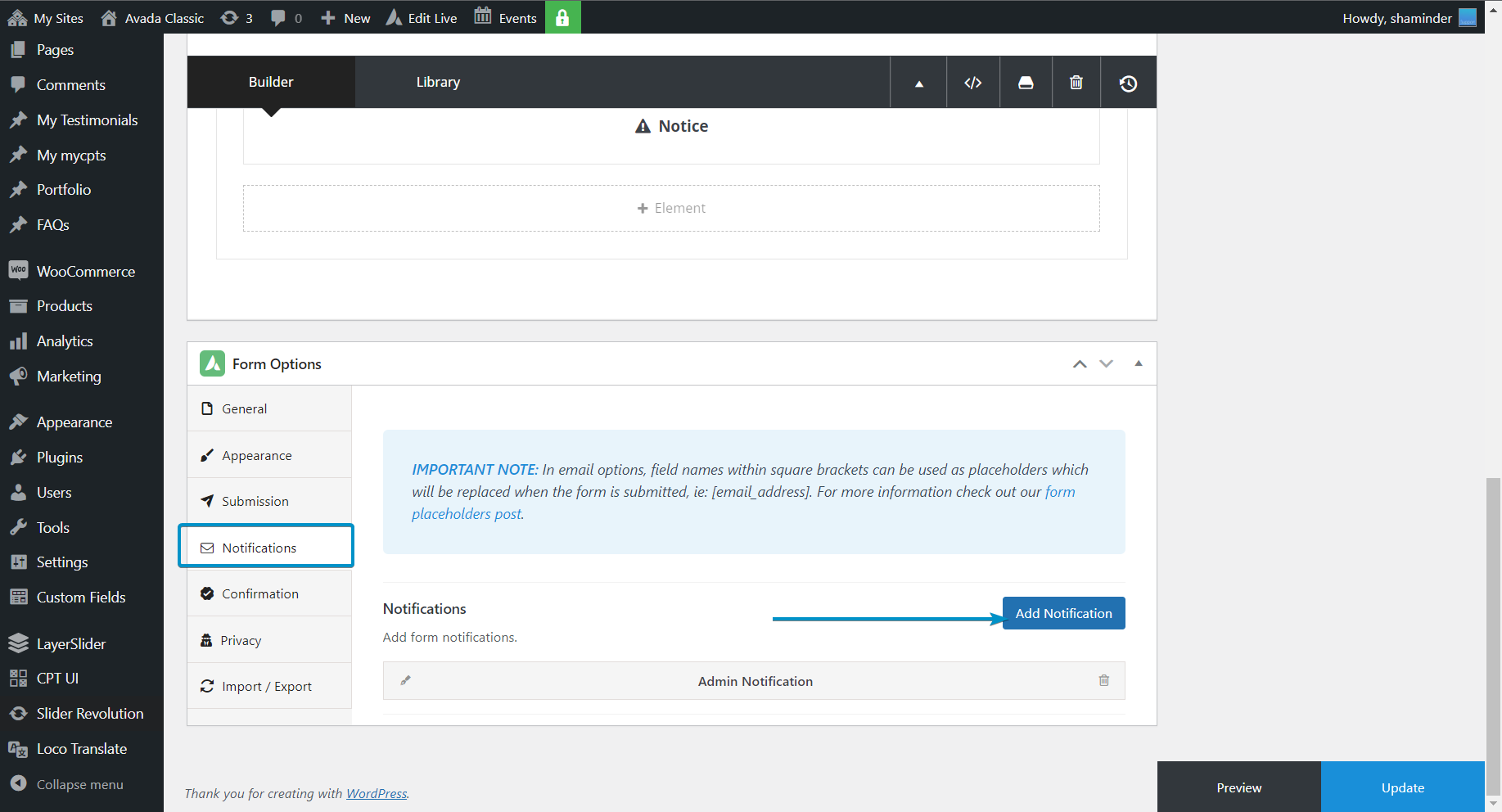
Emails are managed via the notification tab in the Avada form options. You can add a new notification that will send emails to your desired email address along with automated replies.


If you are receiving this message, there could be several reasons for this:
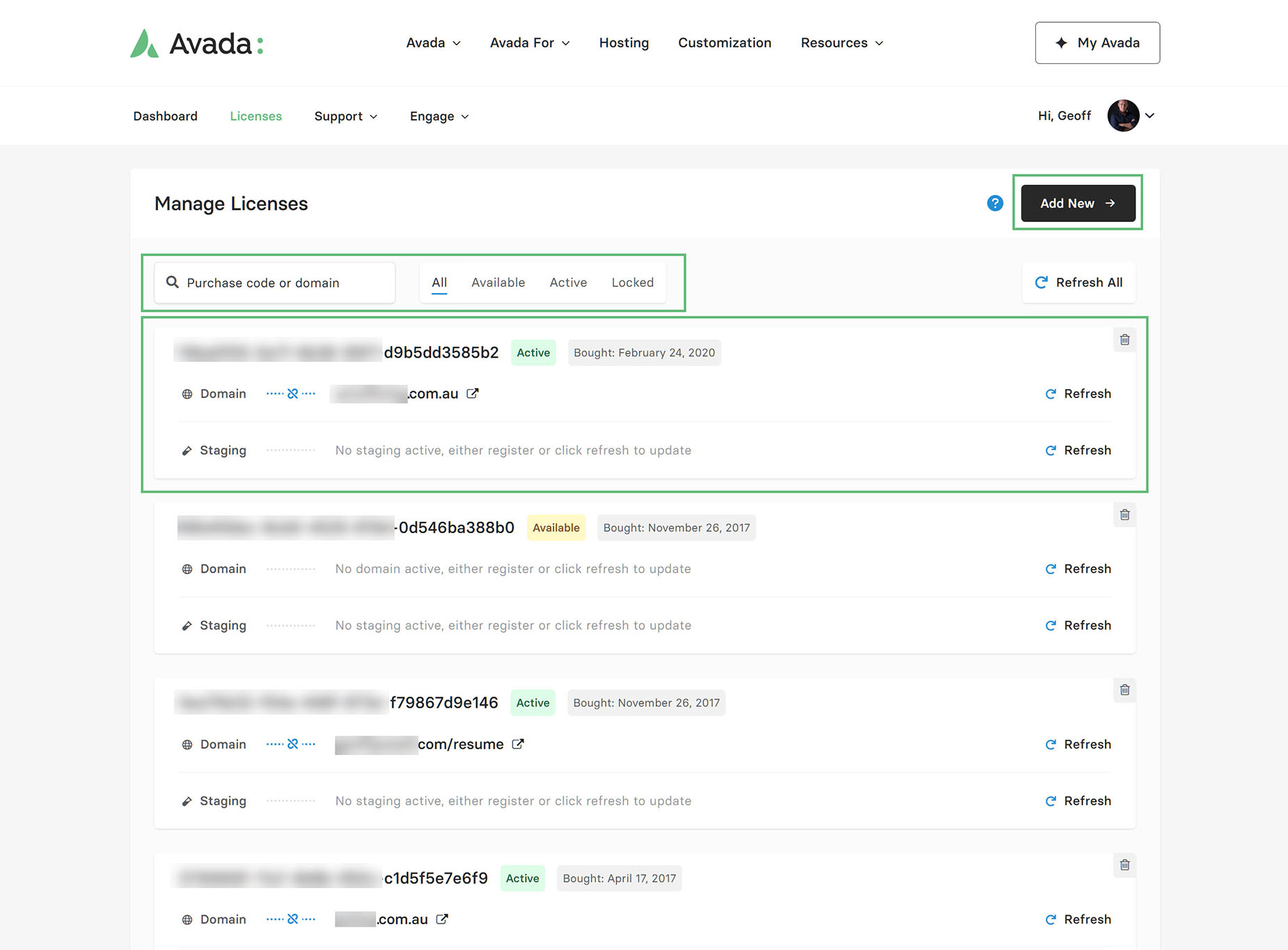
To resolve this, log into your support account, navigate to the “Licenses” tab, and manage the sub-domain and top-level domain registration there. Click the blue unlink icon next to the domain type for the specific purchase code.




Once you have done this, you can navigate to the Avada Dashboard and complete the registration.
To manage your Avada licenses, please log into your My Avada account and navigate to the purchase codes tab to see the details of your licenses and the domains registered to them. However, if you don’t see any or all of your licenses listed there, go ahead and add your other purchase codes manually or using the Envato bulk import tool.
Feel free to check out this comprehensive help file on managing your Avada licenses.

If you are getting a Critical or WordPress Error while editing pages or posts, navigate to WordPress Dashboard > Avada > Global Options > Performance Tab and reset the Avada cache.
We have an extensive library of videos guiding you from novice to expert.
The best place to start
Become a layout master
Looking for documentation for older versions? Check out the legacy documentation.
Sign up to our newsletter and get all of the latest news and updates.
© Copyright 2012 - 2026 • Avada is a Website Builder for WordPress and eCommerce • All Rights Reserved • Developed by ThemeFusion