Post Card Archives Element
Last Update: November 18, 2025
The Avada Post Card Archives Element displays archive content, including blog posts, portfolios, and WordPress Custom Post Types (CPT), pulling posts by categories, tags, authors, or dates—and presents them in customizable formats, including grids, carousels, or sliders, with complete control over layout, spacing, filtering, and styling.
Watch the video below for a visual overview of the Element, view the Avada Post Card Archives Element page, and read on to see the complete list of options.
How To Use The Post Card Archives Element
The Avada Post Card Archives Element allows you to place archive content using a Post Card layout anywhere on your WordPress website. When you go to add an Element in a Content Layout Section, the Element dialog opens in a new tab called “Layout Elements”. This is where you will find the Post Card Archives Element.
The Element can be placed anywhere in your Layout Section and will dynamically pull Archives Content into the page based on the Post Card layout chosen and the Conditions set in the Layout. For example, you might select a Product Grid Post Card and set the condition for the design to display only on Post Category Archives.
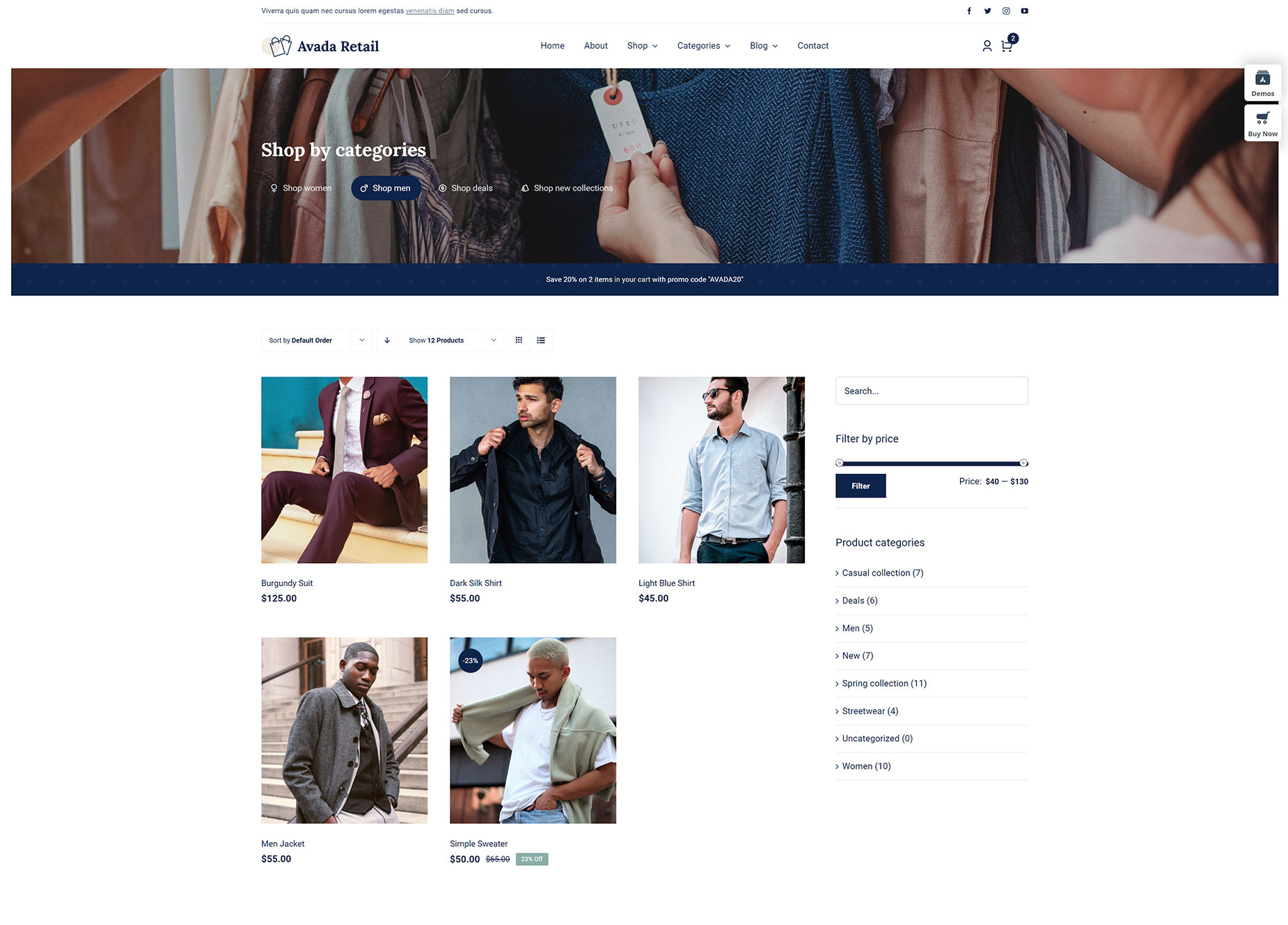
See below for an example of this Element in a Product Category Content layout on the Avada Retail prebuilt website. It’s set to display category products in a grid format.
Element Options
Note: Please note that the displayed options screens below show ALL the available options for the element. If you have Avada’s Option Network Dependencies turned on, you will only see options relevant to your selections, and so the options screen may look somewhat different.