Image Carousel Element
Last Update: March 18, 2026
The Image Carousel Element is perfect for showcasing a set of images, your portfolio pieces, client logos, and much more. The customization options it offers give you incredible flexibility to choose how it looks, works, and interacts with the user.
Watch the video below for a visual overview of the Element, view the Avada Image Carousel Element page for live examples, and read on to see the complete list of options.
How To Use The Image Carousel Element
The Image Carousel Element allows you to add beautiful image carousels to your website. To start, just add the Avada Element to your desired Column. This is a very versatile element with many styling options. For best results using the image carousel, it is recommended that you use images of the same size and orientation to avoid cropping and unusual layouts.
There are five layouts for Image Carousels. These are Standard, Marquee, Coverflow, Cards, and Slider. There are so many options and variables with this Element, it’s impossible to explain all the options here. For the best explanation, watch the video above, as that goes through every Layout. Also, read below for a description of all element options.
Element Options
Note: The Default setting will use the global settings assigned for this element in your Options > Avada Builder Elements > Carousel Elements section. Also, please note that the displayed options screens below show ALL the available options for the element. If you have Avada’s Option Network Dependencies turned on, you will only see options relevant to your selections, and so the options screen may look somewhat different.
Dynamic Content In Layouts
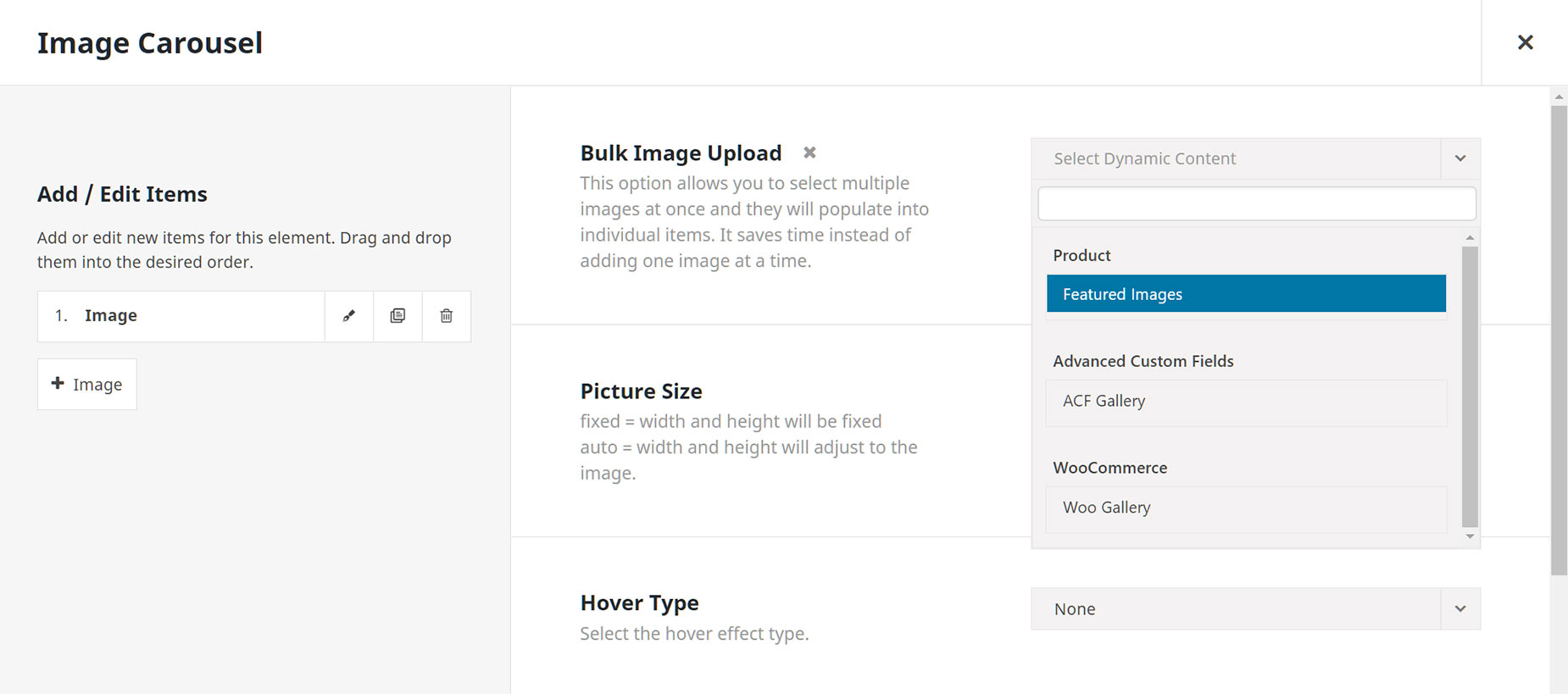
When using the Image Carousel Element in Avada Layouts, you will also find a dynamic content option under the Bulk Upload option. Here you can add Featured Images, ACF Galleries, or Woo Galleries.